

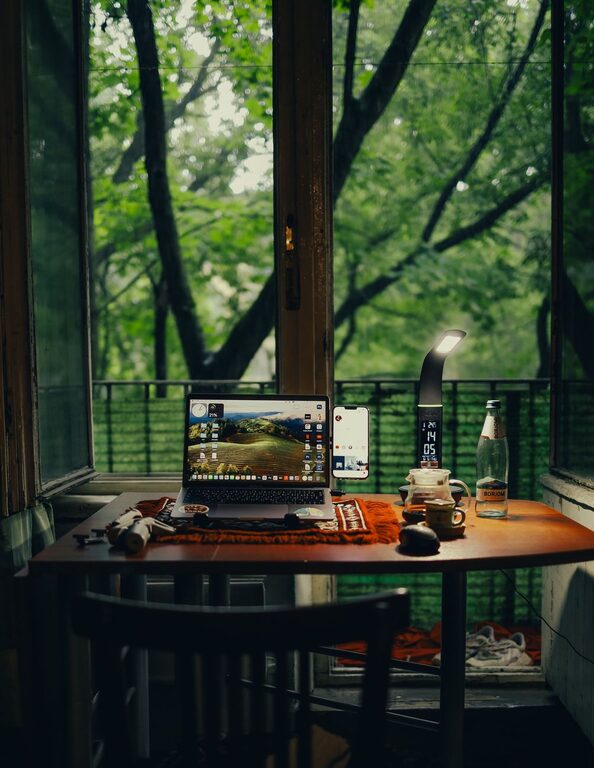
Creating an efficient home workspace is essential for anyone working remotely. A well-designed environment helps you stay focused, maintain good posture, and separate work time from personal time. Whether you have a dedicated room or just a corner of your living space, these tips will help you create a setup that supports your productivity and comfort.
Choose the Right Location
Selecting the right spot for your workspace is the first step. Ideally, pick a quiet area with minimal distractions. If possible, choose a room with a door you can close to help maintain boundaries between work and personal life.
– Natural Light: Aim for a location near a window to access natural light; it boosts mood and reduces eye strain.
– Away from High Traffic: Avoid areas near the kitchen, TV, or main entrances where foot traffic can be disruptive.
– Comfortable Temperature: Ensure the space is well-ventilated and maintains a comfortable temperature throughout the day.
Invest in Ergonomic Furniture
Your comfort during work impacts both your health and productivity. Consider ergonomic furniture designed to support good posture and reduce strain.
– Desk: Look for a desk with enough surface area for your computer, monitors, and other essentials without feeling cluttered.
– Chair: Invest in a chair that provides lumbar support and adjustable settings for height and tilt.
– Adjustable Setup: Use monitor stands or laptop risers to keep screens at eye level, and consider an external keyboard and mouse for better hand positioning.
Organize Your Workspace
A tidy workspace promotes clear thinking and reduces distractions. Here’s how to keep your area organized:
– Declutter Regularly: Remove unnecessary items from your desk to keep only the tools you regularly use.
– Storage Solutions: Use shelves, drawers, or organizers to store documents, office supplies, and accessories.
– Cable Management: Use cable clips or ties to keep cords neat and prevent tangling.
Set Up Reliable Technology
Technology is at the core of remote work. Ensuring you have a dependable setup is crucial for smooth communication and task completion.
– High-Speed Internet: A fast, stable internet connection is vital for video calls, file transfers, and online collaboration.
– Quality Equipment: Use a good quality headset, webcam, and microphone to improve communication.
– Backup Plan: Have a backup option for internet or power outages, such as a hotspot or portable charger.
Create Boundaries and Routines
Defining boundaries between work and home life can be challenging but necessary to avoid burnout.
– Designate Work Hours: Set clear working hours and communicate them with family or roommates.
– Daily Routine: Start your day with a routine, such as a morning walk or coffee, to mentally prepare for work.
– Breaks: Schedule regular breaks to stretch, move around, or rest your eyes.
Personalize Your Space
Adding personal touches makes the area inviting and can boost your mood.
– Plants: Indoor plants add a touch of nature and can improve air quality.
– Artwork or Photos: Displaying art or family photos can make the space feel more comfortable.
– Lighting: Use adjustable lamps for task lighting, especially if natural light is limited.
Minimize Distractions
Staying focused is key to an efficient workspace. Try these strategies:
– Noise Control: Use noise-canceling headphones or white noise machines if background sounds are distracting.
– Limit Phone Use: Keep your personal phone on silent or out of reach during work hours.
– Use Apps: Consider productivity apps that block distracting websites or remind you to take breaks.
Maintain Your Workspace
Regular maintenance keeps your workspace functioning well and pleasant to use.
– Clean Daily: Wipe down surfaces and tidy up at the end of each day.
– Check Equipment: Periodically test your technology and update software to avoid unexpected disruptions.
– Adjust as Needed: Be open to rearranging or upgrading your setup based on your changing needs.
—
By thoughtfully designing your home workspace with comfort, organization, and boundaries in mind, you can create an environment that enhances productivity and supports your well-being. Remember, your workspace should be adapted over time as your routines and tasks evolve. Happy working!